
Matomo is the only privacy-first analytics platform that genuinely tries to match Google Analytics feature-for-feature. Whether that’s a strength or a weakness depends on what you need.
I’ve been running Matomo on client projects for over three years now, and my take is nuanced. It’s powerful, flexible, and genuinely privacy-respecting. It’s also complex, resource-hungry, and occasionally frustrating. This matomo review covers what you actually need to know before committing.
What Is Matomo?
Matomo (formerly Piwik) is an open-source web analytics platform that provides detailed visitor tracking, conversion measurement, and reporting. It launched in 2007 as an open-source alternative to Google Analytics and has grown into the most feature-complete privacy-first analytics tool available.
The project is maintained by InnoCraft, the company behind Matomo, based in New Zealand. They offer both a self-hosted version (completely free) and a cloud-hosted version (paid). Over 1 million websites use Matomo, including government agencies, universities, and organizations that can’t send visitor data to third parties.
What sets Matomo apart from lighter tools like Plausible or Umami is its depth. Matomo doesn’t simplify analytics. It gives you the full toolkit: heatmaps, session recordings, funnels, A/B testing, tag management, custom dimensions, and more. Whether you need all of that is the real question.
Key Features
Here’s what Matomo brings to the table:
- Full visitor tracking – Page views, events, outlinks, downloads, site search, and custom dimensions. You get the complete picture of what visitors do.
- Goal and conversion tracking – Set up goals based on page visits, events, or downloads. Ecommerce tracking is built in for WooCommerce, Shopify, and other platforms.
- Funnels – Visualize multi-step conversion paths and identify where visitors drop off. This is a premium feature on self-hosted.
- Heatmaps and session recordings – See where visitors click, scroll, and interact. Available as premium plugins.
- Tag Manager – Built-in tag management system, so you don’t need Google Tag Manager. It works, though it’s not as polished.
- Custom reports and dashboards – Build your own report layouts with drag-and-drop widgets. Export as PDF or email on a schedule.
- API access – Comprehensive reporting API that lets you pull data into external tools, dashboards, or automations.
- Roll-up reporting – Aggregate data across multiple sites into a single view. Useful for agencies or multi-brand companies.
The feature list is genuinely impressive. In my experience, Matomo covers about 90% of what most teams used in Google Analytics. The remaining 10% is usually around advanced attribution modeling and machine learning-based insights, which Matomo doesn’t attempt.
Self-Hosted vs Cloud
This is the biggest decision you’ll make with Matomo, and it changes the product significantly.
Self-hosted means you install Matomo on your own server. You own all the data, pay nothing for the core product, and have full control over updates, configuration, and data retention. The trade-off: you’re responsible for server maintenance, performance optimization, database management, and security updates.
Cloud-hosted means Matomo runs the infrastructure for you. Data is stored on Matomo’s servers in the EU. You get automatic updates, managed backups, and support. The trade-off: it costs money, and you’re trusting a third party with your data (though their privacy policy is solid).
| Factor | Self-Hosted | Cloud |
|---|---|---|
| Cost | Free (core) + server costs | From $23/month |
| Data ownership | 100% yours | Stored by Matomo (EU) |
| Setup complexity | High — requires server admin skills | Low — sign up and go |
| Premium features | Paid plugins ($) | All included |
| Maintenance | Your responsibility | Managed |
| Performance | Depends on your server | Managed and optimized |
| GDPR compliance | Strongest (no third parties) | Strong (EU hosting) |
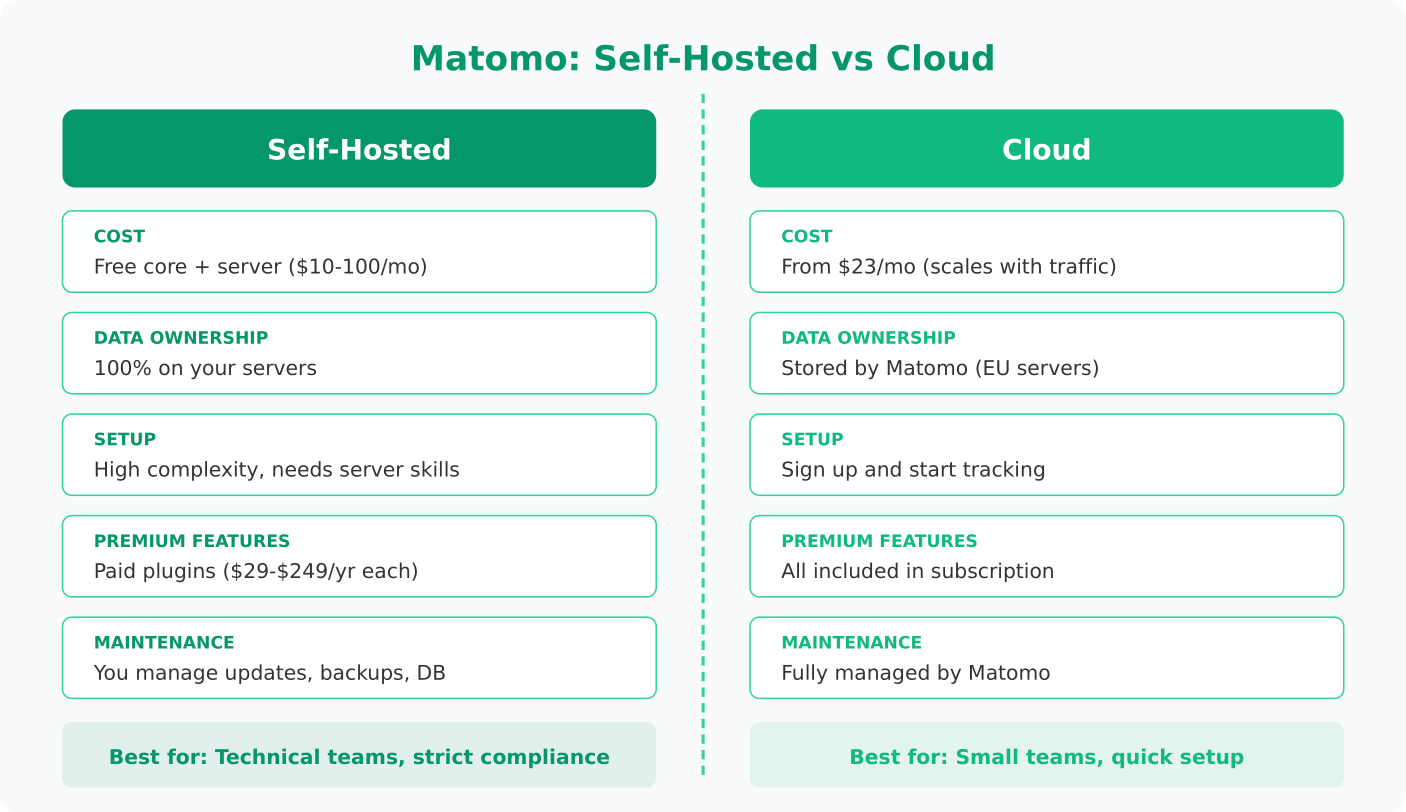
What I’ve seen work best: if you have a sysadmin or DevOps person on the team, self-hosted is the better value. If you don’t, the cloud version saves you from a category of headaches you don’t want. I’ve watched small teams spend more time maintaining their Matomo server than actually using the analytics data. That’s backwards.
Privacy and Compliance
Privacy is where Matomo earns its reputation. It’s one of the few analytics tools recommended by privacy advocates and approved by data protection authorities in France (CNIL), Germany, and other EU countries.
Key privacy capabilities:
- Cookieless tracking – Matomo can operate without cookies, using fingerprint-based tracking instead. This means no cookie consent banner needed in most jurisdictions.
- IP anonymization – Mask visitor IP addresses before storage. Configurable to 1, 2, or 3 bytes.
- Data ownership – Self-hosted means data never leaves your infrastructure. No third-party processing.
- Consent management – Built-in consent tracking that integrates with your cookie consent tool.
- Data retention controls – Set automatic data deletion schedules. Purge raw visitor logs while keeping aggregated reports.
- Do Not Track respect – Optional support for the browser DNT signal.
If you’re navigating GDPR compliance, self-hosted Matomo with cookieless tracking is arguably the strongest position you can take. No consent banner, no data processor agreements, no third-party risk. I’ve recommended this setup to several EU-based clients and it simplifies their compliance posture significantly.
The thing most guides don’t tell you: cookieless mode does reduce data accuracy. Without cookies, Matomo can’t reliably track returning visitors across sessions. Your “returning visitor” metric becomes less trustworthy. For most marketing analytics use cases, this trade-off is acceptable. For detailed user journey analysis, it’s a limitation worth knowing about.
The Learning Curve
Let me be honest: Matomo has a steep learning curve. If you’re coming from a simple tool like Plausible or Umami, the interface will feel overwhelming at first. There are dozens of report categories, multiple configuration panels, and settings nested several layers deep.
The dashboard itself is functional but dated. It looks like analytics software from 2015, which isn’t necessarily bad for usability but doesn’t inspire confidence in first-time users. The navigation is logical once you learn it, but “once you learn it” is doing a lot of work in that sentence.
I’ve made this mistake myself: setting up Matomo, configuring every feature available, and then handing it to a marketing team that just wanted to see traffic trends. They were overwhelmed. The lesson: configure Matomo for your team’s actual needs, not for its full capability. Create custom dashboards that show only what matters, and hide the complexity.
For developers and technical marketers, Matomo is a playground. The segmentation engine is powerful, the API is well-documented, and the plugin architecture means you can extend almost anything. But this flexibility comes at the cost of simplicity.
Expect to spend 2-4 hours on initial setup and configuration for self-hosted, plus another few hours customizing dashboards and reports. Cloud setup is faster, maybe 30 minutes to basic tracking.
Pricing
Matomo’s pricing model depends on which version you choose:
Self-hosted (On-Premise):
- Core platform: Free and open source
- Premium plugins: $29-$249/year each (Heatmaps, Session Recording, Funnels, A/B Testing, etc.)
- Server costs: $10-100+/month depending on traffic volume
Cloud:
- Starts at $23/month for up to 50,000 hits
- Scales with traffic — 1 million hits runs around $89/month
- All premium features included
- 21-day free trial
For a small to medium site (under 100k monthly pageviews), self-hosted with no premium plugins costs you only server hosting — maybe $10-20/month on a VPS. That’s hard to beat. But add a few premium plugins and the annual cost starts approaching cloud pricing, at which point you’re paying similar money while also maintaining infrastructure.
For context on how this compares to other tools in the space, check the privacy-first analytics tools roundup.
Pros and Cons
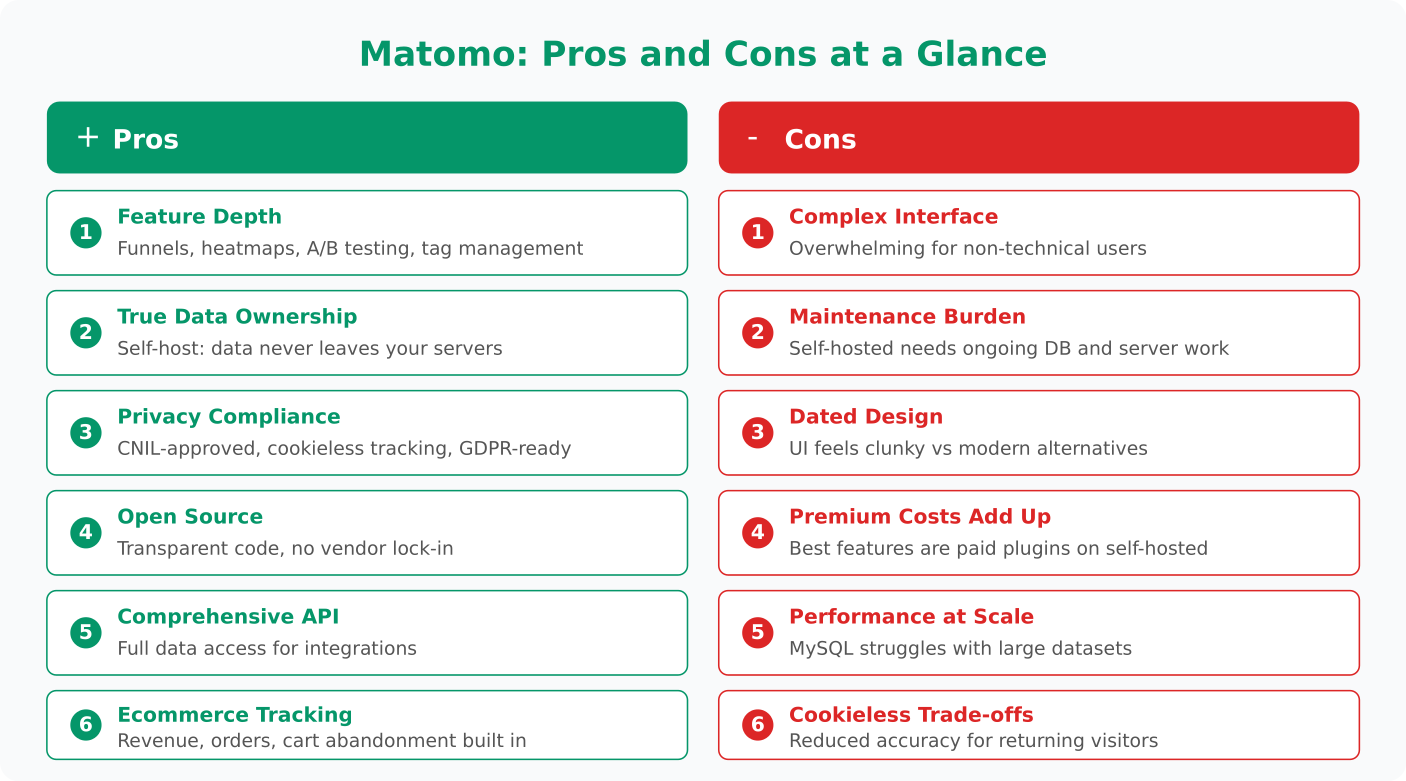
Pros
- Feature depth – More analytics features than any other privacy-first tool. Funnels, heatmaps, session recordings, A/B testing, and tag management in one platform.
- True data ownership – Self-hosted means your data stays on your servers. No third-party processing, no data sharing.
- Strong privacy compliance – CNIL-approved, cookieless tracking option, built-in consent management. The gold standard for GDPR compliance.
- Open source – Transparent codebase, active community, and extensible plugin architecture. No vendor lock-in.
- Comprehensive API – Pull any data point programmatically. Integrate with dashboards, data warehouses, or custom tools.
- Ecommerce tracking – Built-in support for tracking revenue, orders, product performance, and cart abandonment.
Cons
- Complex interface – The dashboard is functional but overwhelming for non-technical users. Takes time to learn.
- Self-hosted maintenance burden – Database optimization, updates, backups, and performance tuning require ongoing attention.
- Dated design – The UI hasn’t kept pace with modern analytics tools. Feels clunky compared to Plausible or Fathom.
- Premium feature costs add up – The best features (heatmaps, funnels, A/B testing) are paid plugins on self-hosted. Total cost can surprise you.
- Performance at scale – High-traffic sites need careful database optimization. MySQL can struggle with large datasets without proper indexing and archiving.
- Cookieless mode trade-offs – Running without cookies reduces accuracy for returning visitor tracking and cross-session analysis.
Who Should Use Matomo?
Matomo isn’t for everyone, and that’s fine. Here’s where it fits best:
Great fit:
- Organizations with strict data sovereignty requirements (government, healthcare, finance)
- EU-based companies that want the strongest possible GDPR compliance position
- Teams that need advanced features (funnels, heatmaps, ecommerce tracking) without using Google products
- Agencies managing analytics across multiple client sites
- Technical teams comfortable with self-hosting and server management
Not the best fit:
- Small teams that just want simple traffic metrics — look at Plausible or Umami instead
- Non-technical users without server admin support (unless using cloud version)
- Startups that need to move fast and don’t want to spend time on analytics infrastructure
The bottom line: Matomo is the Swiss Army knife of privacy-first analytics. If you need the full toolkit, nothing else in the privacy-respecting space comes close. But if you only need a few blades, you’re carrying unnecessary weight. Match the tool to your actual requirements, not to a feature checklist.

Jonathan Whitaker
Marketing analyst and CXL-certified optimizer with 6+ years of experience in web analytics, conversion optimization, and privacy-first data strategy. Former analytics lead for e-commerce and SaaS companies across North America, now focused on helping businesses make better decisions with less data. Specializes in Plausible, Umami, Matomo, and cookieless analytics. Based in Vancouver, BC.