UTM Parameters Explained: A Practical Guide to Campaign Tracking
 Jonathan Whitaker
·
·
5 min read
Jonathan Whitaker
·
·
5 min read

You share a link in a newsletter, post it on social, and drop it in a paid ad. A week later, traffic is up — but you have no idea which of those three actually worked. That’s the gap UTM parameters close.
UTM parameters are small tags you add to a URL so your analytics can tell exactly where a visitor came from. They turn a vague “some traffic from somewhere” into “37 visitors from the March newsletter.” Once you use them consistently, campaign reporting stops being guesswork.
This guide explains what UTM parameters are, what each one does, and how to use them without creating a mess.
What Are UTM Parameters?
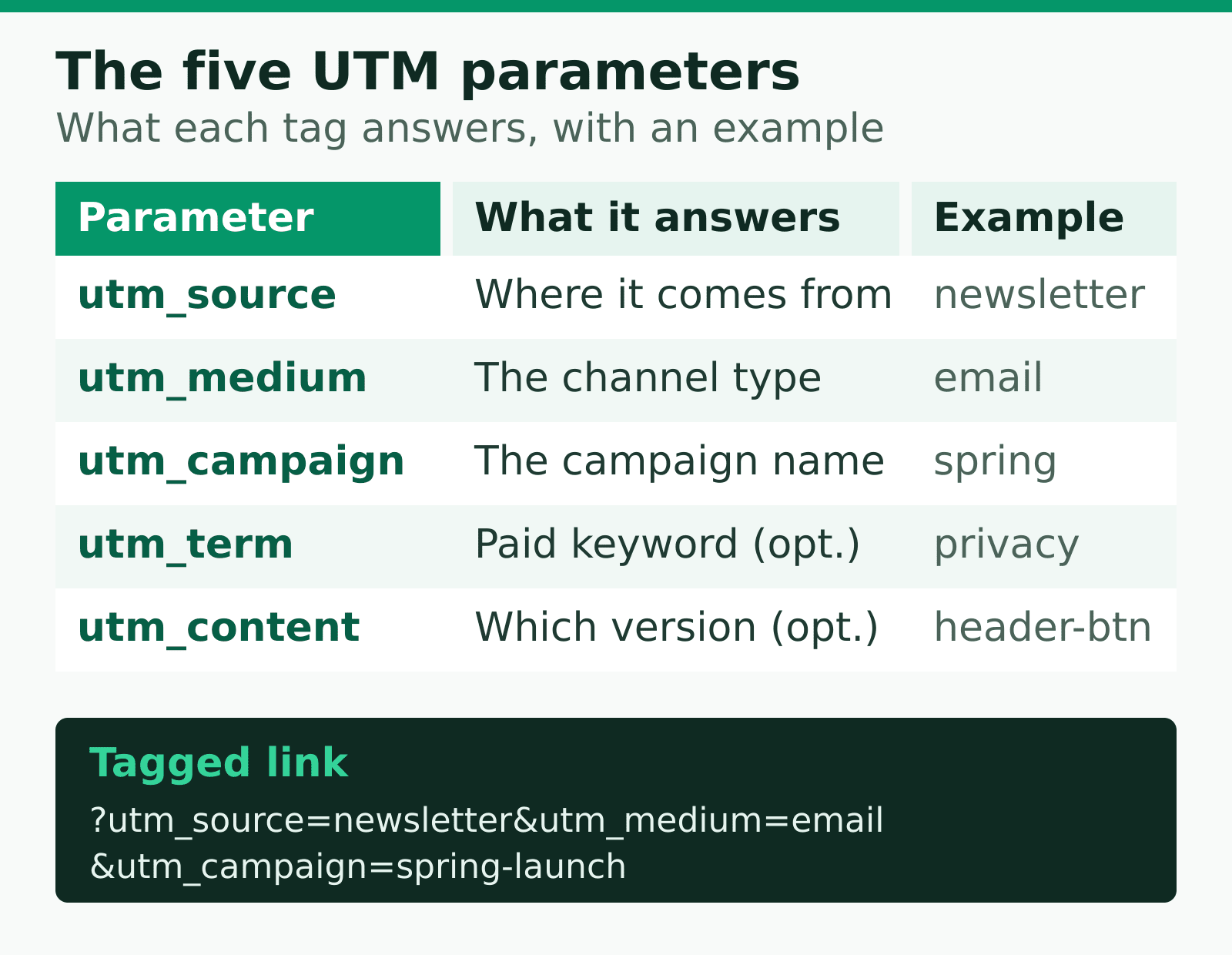
UTM parameters are tags appended to the end of a URL using a query string. UTM stands for “Urchin Tracking Module,” named after the analytics company that introduced them years ago. The name stuck even though the technology has moved on.
Here’s what a tagged URL looks like:
https://asteep.com/?utm_source=newsletter&utm_medium=email&utm_campaign=spring-launchEverything after the ? is the query string. Your analytics tool reads those tags and records where the visit came from. The page itself ignores them, so the visitor sees normal content — the tags are purely for tracking.
The beauty of UTMs is that they’re tool-agnostic. They work with privacy-first tools like Plausible, Umami, and Matomo just as well as anything else, because they’re built into the URL itself rather than a specific platform.
The Five UTM Parameters
There are five UTM parameters. Three are essential, two are optional. Here’s what each one does.
| Parameter | Purpose | Example value |
|---|---|---|
utm_source |
Where the traffic comes from | newsletter, twitter, google |
utm_medium |
The marketing channel type | email, social, cpc |
utm_campaign |
The specific campaign name | spring-launch |
utm_term |
Paid keyword (optional) | privacy-analytics |
utm_content |
Which version or link (optional) | header-button |
Source, Medium, and Campaign — the core three
These three answer the questions that matter most:
- Source is the specific origin — the individual website, newsletter, or platform.
- Medium is the broad channel — email, social, paid search, referral.
- Campaign is the initiative that ties related links together — a product launch, a seasonal promotion, a webinar.
If you only ever use these three, you’ll already have far better campaign reporting than most teams.
Term and Content — the optional two
utm_term was designed for paid keywords. utm_content is for A/B testing or distinguishing two links that point to the same page — say, a header button versus a footer link in the same email.
Use them when you genuinely need that level of detail. Adding them out of habit just clutters your reports.
How UTM Parameters Show Up in Reports
When someone clicks a tagged link, your analytics tool parses the parameters and groups the visit accordingly. Instead of a single anonymous “Direct” or “Referral” entry, you get a clean breakdown.
UTMs don’t track more about a person — they label the visit. That’s why they work even in privacy-first tools that don’t use cookies or fingerprinting.
This is an important distinction. A UTM doesn’t follow a user around or identify them. It simply records the path that brought them in. That’s why UTMs sit comfortably alongside a first-party data strategy — there’s nothing invasive about labelling your own links.
A Naming Convention That Saves You Later
Here’s where most teams go wrong. They tag links inconsistently, and three months later their reports are a swamp of duplicates: Facebook, facebook, FB, and fb all showing as separate sources.
I’ve made this mistake myself, so I’ll save you the pain. Pick rules and stick to them:
- Always lowercase. URLs are case-sensitive, so
Emailandemailbecome two entries. Lowercase everything. - Use hyphens, not spaces. Spaces get encoded as
%20and look broken. Writespring-launch, notspring launch. - Standardise your mediums. Decide on a fixed list —
email,social,cpc,referral— and never improvise new ones. - Keep a shared spreadsheet. One document where everyone records the UTMs they’ve created prevents the same campaign being tagged five different ways.
What I’ve seen work best is treating your naming convention like a small style guide. It feels bureaucratic for a week, then it quietly saves you hours every reporting cycle.
Building UTM Links Without Errors
You don’t have to assemble these by hand. A UTM builder is a simple form where you fill in the fields and it produces the tagged URL for you. Google’s Campaign URL Builder is the best-known free option, but any builder that enforces your naming rules works.
For frequent campaigns, build the URLs once and store them in your shared spreadsheet so the team copies from a single source of truth rather than rebuilding them each time.
Common UTM Mistakes to Avoid
- Tagging internal links. Never put UTMs on links between your own pages — it overwrites the original source and erases where the visitor really came from.
- Inconsistent casing. The single biggest cause of messy reports, and the easiest to prevent.
- Over-tagging. You don’t need
utm_termandutm_contenton every link. Use them only when the detail earns its keep. - Forgetting to tag at all. An untagged campaign link lands in “Direct” or “Referral” and tells you nothing. Tag before you publish.
The Bottom Line
UTM parameters are one of the highest-leverage habits in marketing analytics. They cost nothing, work with any tool, and turn fuzzy traffic numbers into clear answers about what’s working.
Start with the core three — source, medium, campaign — lock down a naming convention, and tag every external campaign link before it goes live. Do that consistently and your attribution reporting gets dramatically more trustworthy. Let the data steep, and let your UTMs tell you exactly where it came from.
Jonathan Whitaker
Marketing analyst and CXL-certified optimizer with 6+ years of experience in web analytics, conversion optimization, and privacy-first data strategy. Former analytics lead for e-commerce and SaaS companies across North America, now focused on helping businesses make better decisions with less data. Specializes in Plausible, Umami, Matomo, and cookieless analytics. Based in Vancouver, BC.