Server-Side vs Client-Side Tracking: What’s the Difference?
 Jonathan Whitaker
·
·
5 min read
Jonathan Whitaker
·
·
5 min read

Your analytics script loads in the visitor’s browser, an ad blocker quietly kills it, and that visit never gets counted. Multiply that across a privacy-conscious audience and you’re missing a real chunk of your data. That’s the problem server-side tracking is meant to solve.
The choice between server-side and client-side tracking shapes how accurate your data is, how it handles privacy, and how much work it takes to maintain. Neither is automatically “better” — they suit different needs.
This guide explains how each one works, where each falls short, and how to decide which fits your site.
What Is Client-Side Tracking?
Client-side tracking runs in the visitor’s browser. You add a small JavaScript snippet to your pages, and when someone loads a page, that script fires and sends data — pageviews, clicks, events — directly to your analytics tool.
This is the default for almost every analytics setup. It’s how Plausible’s script, Matomo’s tag, and most tools you’ve used work out of the box.
The appeal is simplicity. Drop in a snippet, and you’re collecting data in minutes. The browser has rich context — screen size, referrer, what was clicked — and it’s all available without touching your server.
What Is Server-Side Tracking?
Server-side tracking moves the collection point from the browser to your own server. Instead of the visitor’s browser sending data straight to the analytics tool, the request goes to your server first, and your server forwards it on.
Think of it as the difference between a guest mailing a postcard directly versus handing it to your front desk to send. The front desk — your server — controls what gets sent, cleans it up, and decides where it goes.
Some privacy-first tools support a hybrid version: a lightweight script still runs in the browser, but it talks to a proxy on your own domain rather than a third-party endpoint. That alone fixes many of the problems below while keeping setup manageable.
How They Compare
Here’s the side-by-side that matters most when you’re deciding.
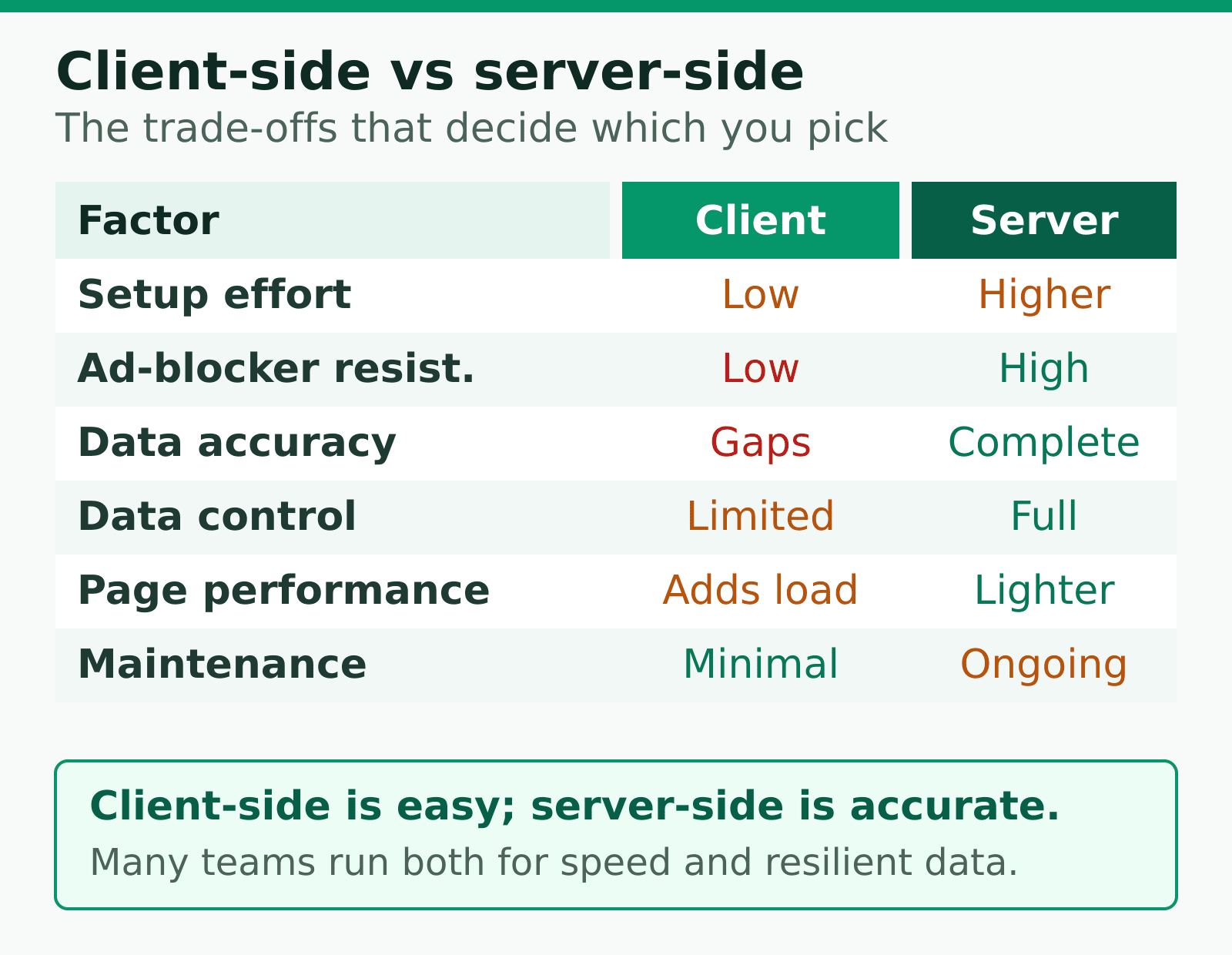
| Factor | Client-side | Server-side |
|---|---|---|
| Setup effort | Low — paste a snippet | Higher — needs server config |
| Ad-blocker resistance | Low — easily blocked | High — harder to detect |
| Data accuracy | Gaps from blockers | More complete |
| Data control | Limited | Full — you filter before sending |
| Page performance | Adds browser load | Lighter in the browser |
| Maintenance | Minimal | Ongoing |
Where Client-Side Falls Short
Client-side tracking has three well-known weaknesses, and they’ve grown over time.
- Ad blockers and privacy tools. A meaningful share of visitors run extensions or browsers that block analytics scripts. Those visits silently vanish from your data.
- Performance cost. Every script the browser loads adds weight. Heavy tracking setups slow down pages, which hurts experience and conversions.
- Less control. Once the browser sends data to a third party, you can’t inspect or clean it first. Whatever the script collects, it sends.
In my experience, the accuracy gap is the one that catches teams off guard. They assume their numbers are complete, make decisions on them, and never realise a slice of their audience was never counted.
Where Server-Side Wins — and What It Costs
Server-side tracking addresses those weaknesses directly.
Because the data flows through your own server, you decide what leaves it. That’s the real advantage — control, not just accuracy.
The benefits:
- Better accuracy. Requests routed through your own domain are far harder for blockers to identify and stop.
- Cleaner data. You can strip out bots, filter internal traffic, and remove anything you don’t want before it ever reaches your analytics tool.
- Lighter pages. Less work in the browser means faster load times.
- Privacy on your terms. Collecting through your own infrastructure makes it easier to honour a data minimisation approach and stay compliant.
But it isn’t free. Server-side tracking needs technical setup, ongoing maintenance, and someone who understands the infrastructure. For a small site, that overhead can outweigh the gain.
Which Should You Choose?
The honest answer is: it depends on your audience and your resources. Here’s how I’d frame the decision.
Stick with client-side if…
- You run a small site or blog and want analytics live today.
- You don’t have engineering time to maintain extra infrastructure.
- Your tool already proxies through your domain — that captures most of the upside with none of the overhead.
Move to server-side if…
- A large share of your audience is technical or privacy-conscious and likely to block scripts.
- Accurate, complete data directly affects revenue decisions.
- You have the resources to set it up and keep it running.
The middle path
For most sites, the sweet spot is a privacy-first tool that supports a proxy or hybrid mode. You keep the simple snippet-based setup but route the data through your own domain, which dodges most ad blockers and gives you a measure of control — without standing up a full server-side pipeline. If you’re already running a privacy-first analytics tool, check whether it offers this; many do.
The Bottom Line
Client-side tracking is simple and fast to set up, but it leaks data to ad blockers and gives you little control. Server-side tracking fixes both at the cost of complexity and maintenance.
Most sites don’t need to pick an extreme. Start client-side, watch for signs that blockers are eating your data, and reach for a proxy or hybrid setup when accuracy starts to matter for real decisions. Match the approach to your audience and your resources — and let the right data steep without the noise.
Jonathan Whitaker
Marketing analyst and CXL-certified optimizer with 6+ years of experience in web analytics, conversion optimization, and privacy-first data strategy. Former analytics lead for e-commerce and SaaS companies across North America, now focused on helping businesses make better decisions with less data. Specializes in Plausible, Umami, Matomo, and cookieless analytics. Based in Vancouver, BC.