
Your traffic spiked 40% overnight and nobody on the team ran a campaign. Before you celebrate, check whether real people drove that spike — because a lot of the time, it’s bot traffic.
Bots inflate your numbers, distort your conversion rates, and quietly waste your time. The frustrating part is that most analytics setups count a fair share of them without telling you. Once you know what bot traffic looks like, you can filter it out and trust your reports again.
This guide covers what bot traffic is, how to recognise it, and the practical steps I use to keep it out of the data.
What Is Bot Traffic?
Bot traffic is any visit to your website generated by automated software rather than a human. A bot is just a script that requests pages, follows links, or fills in forms — at machine speed, around the clock.
Not all of it is bad. Search engine crawlers like Googlebot need to visit your pages so they can index them. Uptime monitors check that your site is online. These are the good bots, and you generally want them around.
The problem is the rest: scrapers harvesting your content, spam bots probing your forms, click bots faking ad engagement, and the background noise of vulnerability scanners. This is the traffic that pollutes your analytics and, in some cases, costs you money.
Good Bots vs Bad Bots
It helps to split bot traffic into two buckets, because you treat them differently.
| Type | Examples | What to do |
|---|---|---|
| Good bots | Googlebot, Bingbot, uptime monitors, preview fetchers | Allow, but exclude from analytics |
| Bad bots | Content scrapers, spam bots, credential-stuffers, fake-click bots | Block and exclude |
The key insight: even good bots shouldn’t show up in your reports. A search crawler isn’t a potential customer, so counting its visits as “traffic” only muddies the picture.
Why Bot Traffic Distorts Your Analytics
Bots don’t behave like people, and that’s exactly why they wreck your metrics.
- Inflated sessions and pageviews. A scraper hitting 500 pages looks like a very busy visitor — or 500 phantom ones, depending on the tool.
- Broken bounce and engagement rates. Many bots load one page and leave, dragging your bounce and engagement rates in directions that have nothing to do with real users.
- Skewed conversion rates. Bots almost never convert. The more bot sessions you count, the lower your conversion rate looks, even when nothing changed for actual customers.
- Misleading geography and referrals. Spam referrals and traffic from data-centre IP ranges make it look like you have an audience you don’t.
In my experience working with small teams, this is where bad decisions start. Someone sees a traffic jump, assumes a channel is working, and shifts budget toward it — when the “growth” was a scraper.
The first question to ask about any unexplained traffic change isn’t “which channel?” It’s “were these real people?”
How to Spot Bot Traffic
You rarely get a label that says “this is a bot.” Instead, you look for patterns. Here are the signals I check first.
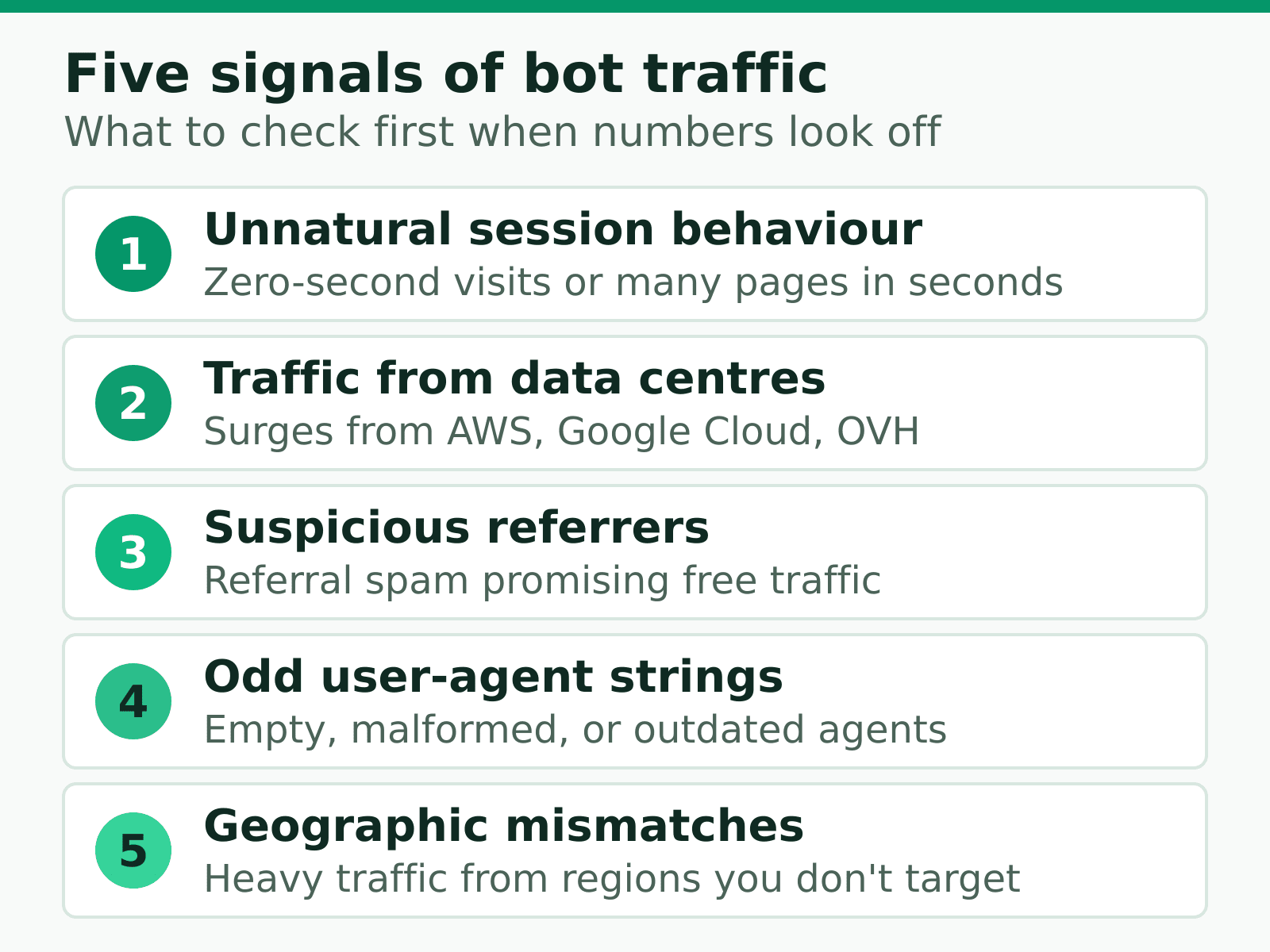
1. Unnatural session behaviour
Sessions that last zero seconds, or sessions that visit dozens of pages in a few seconds, are almost always automated. Humans pause, scroll, and read. Bots don’t.
2. Traffic from data centres
Most real visitors come from residential or mobile networks. A surge of traffic from cloud-hosting IP ranges (AWS, Google Cloud, OVH, DigitalOcean) is a strong bot signal.
3. Suspicious referrers
If your referral report fills up with sites you’ve never heard of promising “free traffic” or “SEO services,” that’s referral spam — bots faking a referrer to get you to visit them.
4. Odd user-agent strings
The user-agent header identifies the software making the request. Empty, malformed, or outdated user agents (a browser version from years ago) often mean a script rather than a person.
5. Geographic mismatches
If you serve one country but suddenly see heavy traffic from regions you don’t target — and those visits never engage — bots are a likely explanation.
How to Filter Bot Traffic
You won’t catch every bot, and you don’t need to. The goal is to remove enough noise that your reports reflect real human behaviour. Here’s the approach that works best.
Use a privacy-first tool with built-in filtering
This is the easiest win. Privacy-focused analytics tools were built in a post-cookie world and treat bot filtering as a core feature, not an afterthought. Plausible, Fathom, and Umami all filter known bots automatically using maintained lists of crawlers and data-centre ranges. If you’ve already moved to a privacy-first analytics tool, a lot of this is handled for you.
Block bad bots at the server or CDN
The most effective filtering happens before a request ever reaches your analytics. A content delivery network or web application firewall can block known bad bots by reputation, rate-limit aggressive crawlers, and challenge suspicious requests. This protects your server and keeps the junk out of your data in one move.
Maintain a clean robots.txt
Your robots.txt file tells well-behaved crawlers where they can and can’t go. It won’t stop malicious bots — they ignore it — but it keeps legitimate crawlers from wasting crawl budget on pages that don’t matter.
Exclude internal and known sources
Filter out your own office IP, staging environments, and any monitoring tools you run. These aren’t malicious, but they’re not customers either, and they add up over time.
What Realistic Success Looks Like
Don’t aim for zero bots — that’s not achievable, and chasing it wastes time. Aim for clean, stable, trustworthy numbers.
A practical checklist:
- Pick a tool that filters bots by default, or configure filtering in the one you have.
- Add a CDN or firewall layer to block the worst offenders before they hit your site.
- Exclude internal traffic and monitoring tools.
- Review your referral and geography reports monthly for new spam patterns.
The thing most guides don’t tell you: bot filtering isn’t a one-time setup. Bots evolve, and new spam referrers appear. A quick monthly review keeps your data honest without much effort.
The Bottom Line
Bot traffic is unavoidable, but letting it distort your decisions isn’t. Treat any unexplained traffic change with healthy suspicion, lean on tools that filter bots automatically, and add a server-side layer for the worst offenders.
Clean data is the foundation everything else sits on. Once you trust your numbers, every report and every decision that follows gets easier. Let the real signal steep, and pour out the noise.

Jonathan Whitaker
Marketing analyst and CXL-certified optimizer with 6+ years of experience in web analytics, conversion optimization, and privacy-first data strategy. Former analytics lead for e-commerce and SaaS companies across North America, now focused on helping businesses make better decisions with less data. Specializes in Plausible, Umami, Matomo, and cookieless analytics. Based in Vancouver, BC.